84.51° Prism
Concept | Last updated: 7/24/2026 | Learn about 84.51° Prism
84.51° Prism is the intake program for Kroger Precision Marketing (KPM Kroger Precision Marketing) at 84.51°.
Other Media solutions at 84.51° include the Kroger Ad Platform.
You can use 84.51° Prism to create:
-
Campaigns that use a variety of channels while also leveraging 84.51°'s data to target specific households.
-
Nominations and coupons for Best Customer Communications (BCC Best Customer Communications) Incentives.
84.51° Prism also offers metrics so you can see how your Campaign is performing both in-flight and after the Campaign is finished.
Dashboard
After logging into 84.51° Prism, you'll see the main dashboard.
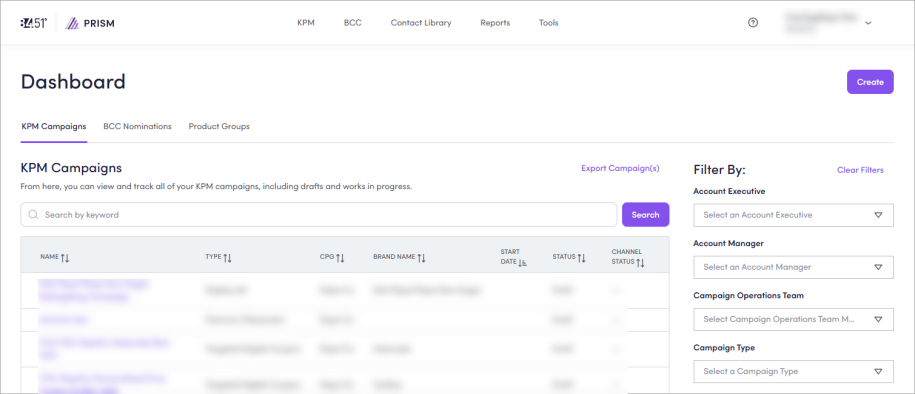
From here, you can navigate to any other section in 84.51° Prism or visit the 84.51° Prism Learning Center ( ).
).
To learn more, see:
KPM
On this dashboard, you can view and track all of your Kroger Precision Marketing (KPM) Campaigns as well as access the Integrated Calendar and Inventory Availability from the KPM tab.
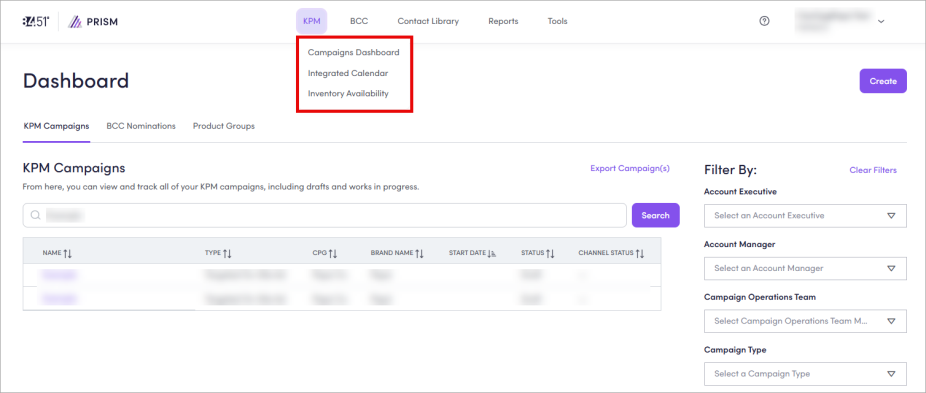
To customize the dashboard, you can apply filters for:
|
|
|
You can also use keywords to search and find your Campaign. If you need to export a Campaign, you can do that by clicking Export Campaign(s).
To learn more, see:
BCC
From the BCC tab, you can navigate to the Nominations Dashboard as well as several other pages like Events, Yearly Plan, and Coupon Library.
Internal users can also access Expectations The Kroger Ask. For the Yearly Plan, this refers to the total number of coupons sent to Kroger households. The amount is set by Kroger and 84.51. It outlines what you can expect to contribute to BCC. from the BCC tab.
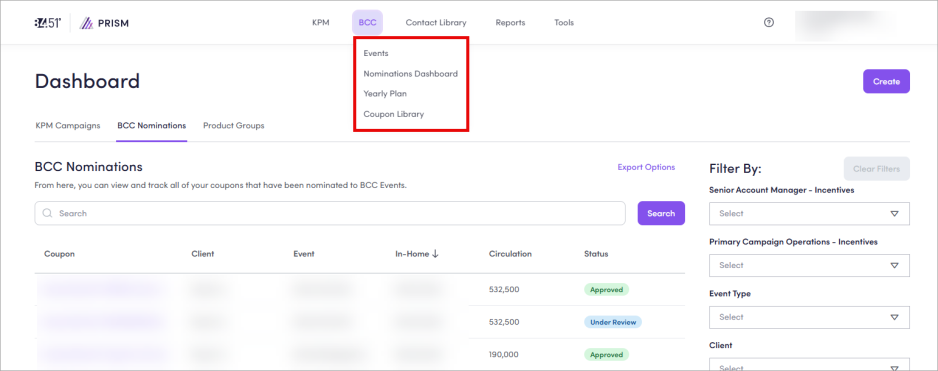
On this dashboard, you can view and track all of your coupons that have been nominated to Incentives opportunities (like Loyalty Events and Custom Incentives).
To customize the dashboard, you can apply filters for:
|
|
You can also use the search bar to find your nominations. If you need to export nomination data or an agreement, you can do so by clicking Export Options, then selecting what item(s) you want exported (either Nomination(s) Data or Nomination Agreement(s)).
To learn more, see:
Contact Library
From the Contact Library tab, you can access the Contact Library.
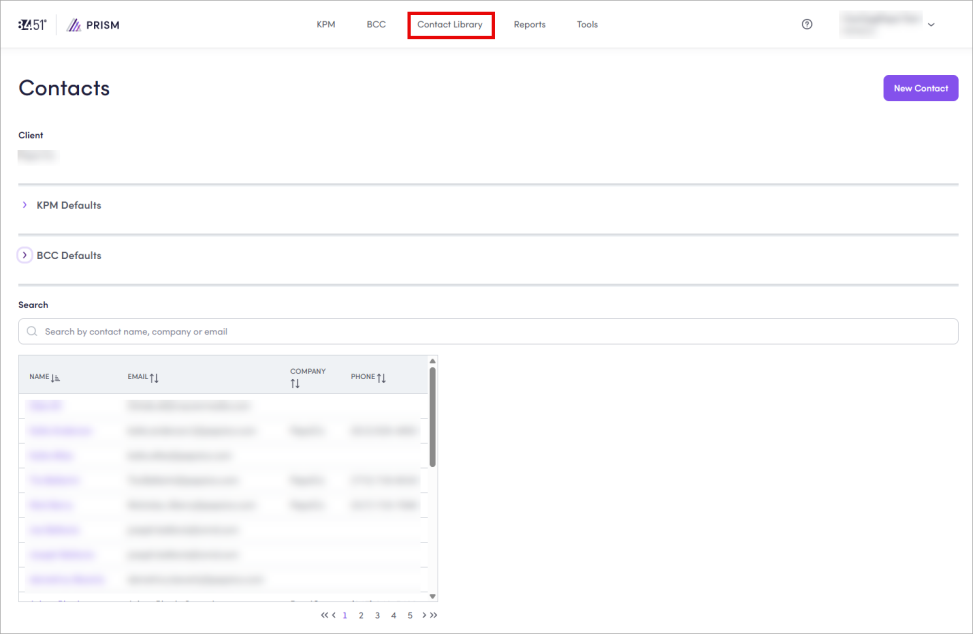
In the Contact Library, you can manage (create, save, and edit) all of your contacts for your Kroger Precision Marketing (KPM) Managed Service and Incentives Campaigns.
You can also use the search bar to find contacts by name, company, or email.
To learn more, see:
Reports
From the Reports tab, you can access the Report Center to view measurement reports for select Campaigns.
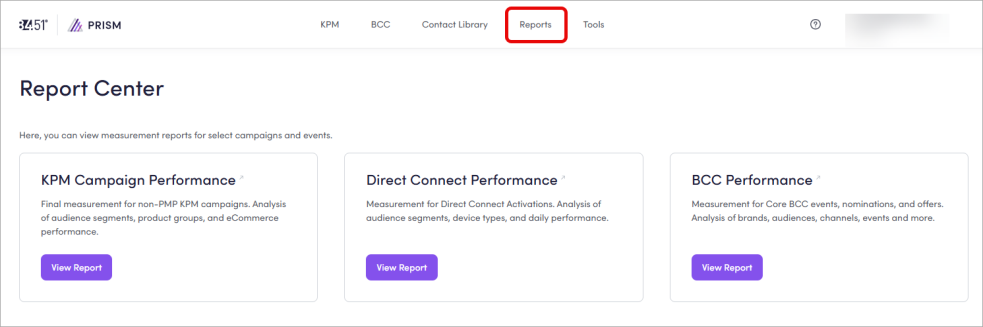
To see a report, click View Report. This action takes you to the selected campaign or event performance page (for example, BCC Performance).
To learn more, see:
Tools
From the Tools tab, you can navigate to the Audience Library, the Product Group Creator, or Influencer Calculator.
Audience Library
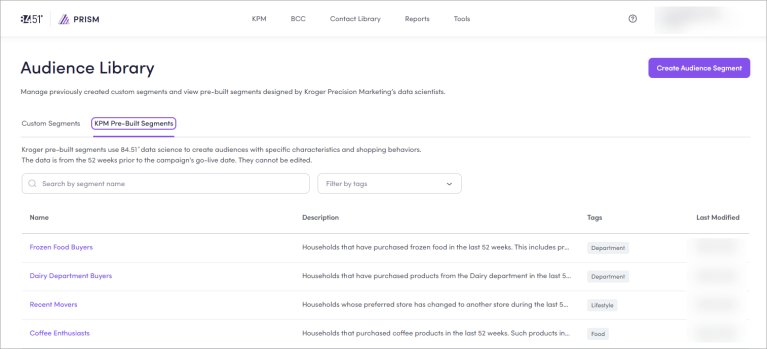
In the Audience Library, you can:
-
Create Audience Segments agnostic of a Campaign.
-
Leverage 84.51° data science with the KPM Pre-Built Segments.
-
Save and re-use Audience Segments across Campaigns.
To learn more, see:
Product Group Creator
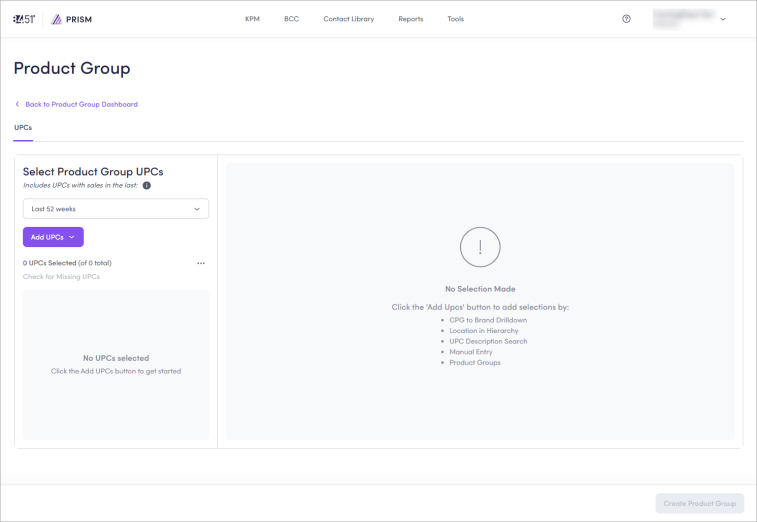
In the Product Group Creator, you can create Product Groups, which you can then use in your Campaign and coupons.
These Product Group can be reused across Campaigns.
To learn more, see:
Influencer Calculator
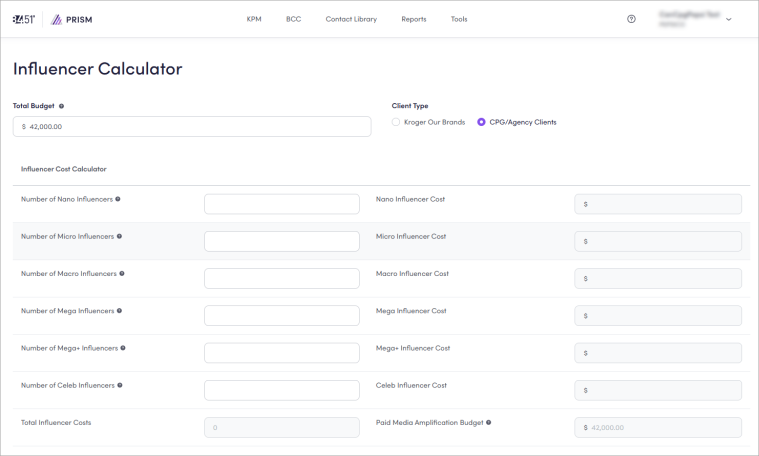
You can use the Influencer Calculator as a standalone planning tool for your Custom Influencer Campaigns.
This tool:
-
Is available to all users.
-
Can be used apart from the Custom Influencer intake process.
-
Makes budgeting and scenario planning easier.
To learn more, see Partner with Custom Influencers.
Related videos
Want to see 84.51° Prism workflows? Watch this recording of 84.51° Prism 101.
Check out the recorded trainings library to learn even more about 84.51° media solutions or sign up for a live training here → Registration.
Related topics
Want to learn more about this topic? See these related topics:
Learn more
Explore other sections in the Learning Center to learn more about 84.51° Prism:
 Go to
Go to