Support
Resource | Last updated: 6/5/2026 | Discover available resources to get help as you work in 84.51° Prism
84.51° Prism Learning Center
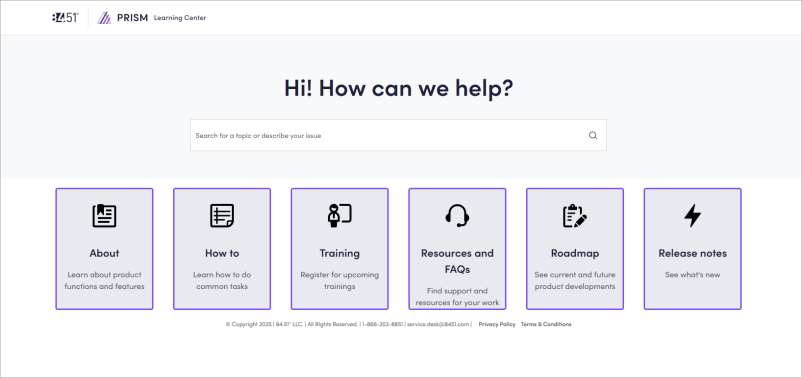
Visit the Learning Center for:
-
Quick reference guides
-
How-to instructions and video tutorials
-
Information about key concepts and methodology
-
Helpful resources and FAQs Frequently Asked Question
-
Release Notes
Technical Support
84.51° Prism Technical Support is available Monday through Friday from 8:00 AM to 8:00 PM (ET), excluding holidays.
This dedicated team of experts is best equipped to handle your questions via email, so contact them at service.desk@8451.com.
Troubleshooting
Before contacting Technical Support, try the following:
-
Search for your question in the Learning Center
You can use keywords like "create campaign," "coupon," or "event" to ask a question.
-
Check to see what version of Chrome you're using.
84.51° Prism is only supported in recent versions of Google Chrome.
Email support
If the troubleshooting tips aren't helpful, send a detailed email to help 84.51° resolve your issue or question much faster.
Include the following information, if applicable:
-
Any errors you received
-
The steps needed to reproduce your issue
-
Your location in 84.51° Prism
-
The URL of page where the issue occurred
-
The date and time you experienced the error
-
The CPG Consumer Packaged Goods or Client name
-
Any relevant screenshots, exports, and/or anything that might help 84.51° technicians with the issue
Other Learning Centers
Can't find what you're looking for? Check out these other 84.51° Learning Centers.
84.51° Collaborative Cloud
The flexible, DIY analytics environment (built on Databricks) for data scientists and engineers, that supports exploratory workflows, automation, audience creation, and custom KPI Key Performance Indicator development.
To learn more, explore the 84.51° Collaborative Cloud Learning Center.
84.51° In-Queries
The survey and research platform used to reach relevant Kroger audiences with expert-level research design and actionable insights.
To learn more, explore the 84.51° In-Queries Learning Center.
84.51° Stratum
The self-serve syndicated analytics platform that combines shopper behavioral insights with retail performance measures.
To learn more, explore the 84.51° Stratum Learning Center.
Data Direct / Data Orders
The cloud-to-cloud outbound data transfer services for syndicated marketplace data and custom datasets, with API and UI User Interface access for data viewing, download, and export.
To learn more, explore the Data Direct/ Data Orders Learning Center.
Kroger Ad Platform
The holistic advertising platform for all Kroger Precision Marketing (KPM Kroger Precision Marketing) activations, supporting Onsite and Offsite Campaigns.
Another Media activation platform used to run advertisement campaigns for Kroger stores and gather measurement data on campaign metrics (Sales, aROAS Attributable Return on Ad Spend, Views, etc.).
You may also want to check out the Kroger Ad Platform API, the programmatic API for campaign management and reporting, enabling partners to automate campaign operations at scale.
To learn more, explore the Kroger Ad Platform Learning Center.
OnDemand
The point-of-sale (POS) and inventory data reporting platform that provides category performance reports and supply chain data.
To learn more, explore the OnDemand Learning Center.
KPM Commercial Intelligence Hub
Your centralized destination for Kroger Precision Marketing (KPM) tools, resources, and commercial content. Access client-ready materials, internal strategy and pricing resources, training, and key systems — all in one place to help you find information quickly and stay aligned across KPM.
To use it effectively:
-
Start here before searching SharePoint broadly.
-
Leverage Smart Search rather than navigating folders.
-
Treat it as your single source of truth for KPM commercial content.
-
Always check external vs. internal designation before sharing files.
-
Use the intake form instead of editing content manually.
To learn more, explore the KPM Commercial Intelligence Hub.
 Go to
Go to