Report Center
Concept | Last updated: 8/17/2026 | Learn about the Report Center
84.51°'s passive data collection via Kroger shopper sales (first-party transaction data) allows precise targeting of households based on their unique purchasing behaviors and cutting-edge measurement science enables accurate quantification of the true impact of media. This impact can be viewed for your Campaigns any time in performance reports.
84.51° Prism offers insights into how your Best Customer Communications (BCC Best Customer Communications), Direct Connect, and Kroger Precision Marketing (KPM Kroger Precision Marketing) Managed Service Campaigns are performing via these reports found in the Report Center.
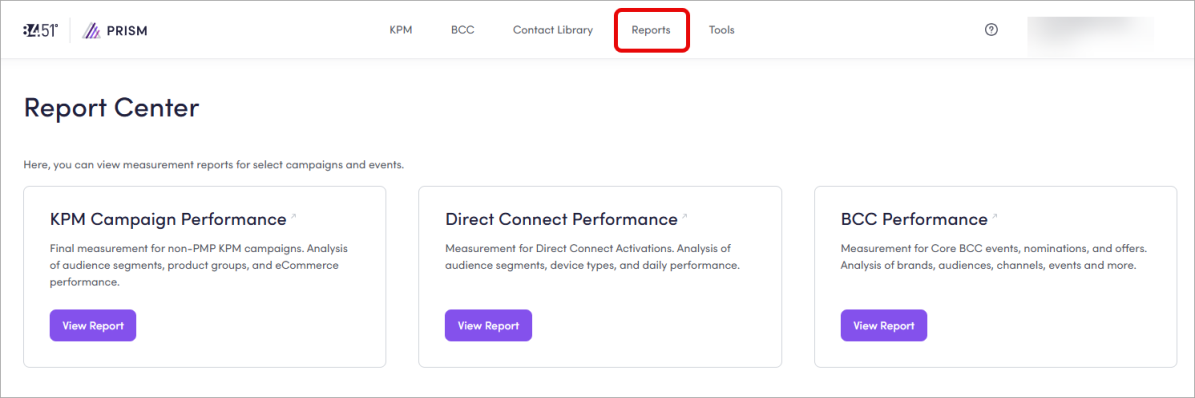
These insights can be used to:
-
Enhance a current Campaign.
-
Inform future Campaigns.
BCC Performance
In the Report Center, you can access your data at any time (either during or after an event) for any Incentives Campaigns where you participated.
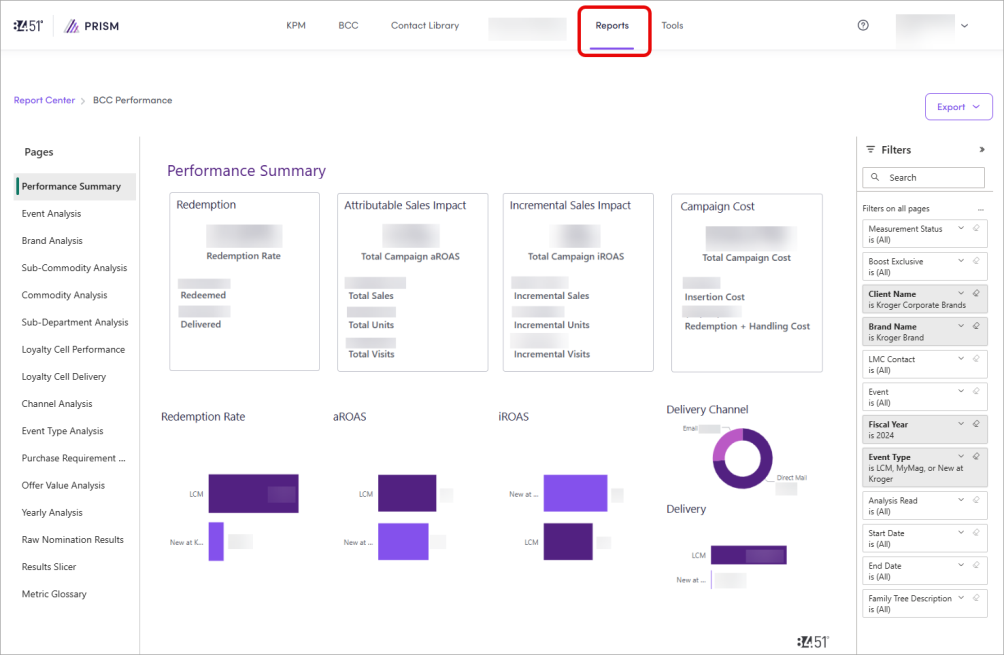
This data is updated daily, and continues to update until two (2) weeks after the Campaign end date.
To learn more about this report, see View Incentives Campaign performance.
KPM Campaign Performance
In the Report Center, you can view your KPM Campaign’s performance once the attribution window has ended (about two (2) weeks). At that point, you'll receive a wrap report with actionable insights from your Account Manager.
Data is updated daily, and continues to update until two (2) weeks after the Campaign end date.
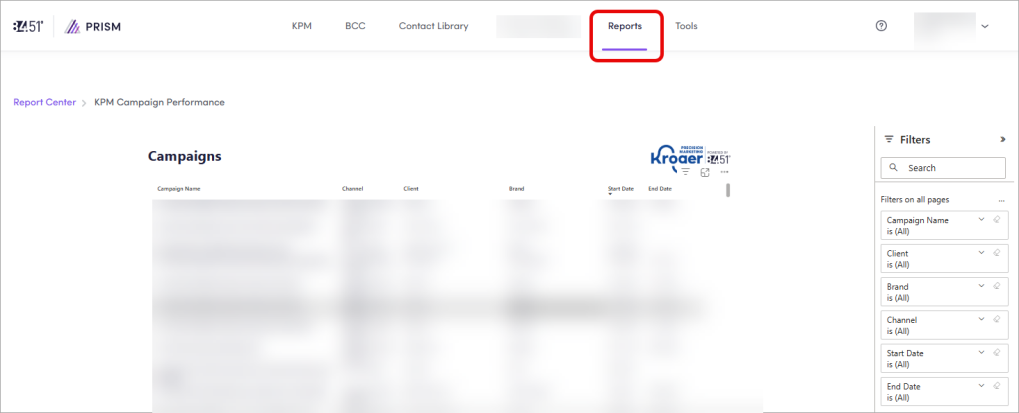
You'll see a list of all your completed KPM Campaigns, but you can use the filters to find a specific one.
When you've found your Campaign, click Campaign Name to open the report in a new tab.
To learn more about this report, see View Managed Service Campaign performance.
Direct Connect Performance
Direct Connect Campaigns are moving to the Kroger Ad Platform. There, you can activate Direct Connect Campaign via Yahoo, TTD The Trade Desk (which includes Disney), Meta, and DV 360.
Existing Direct Connect Campaigns created in 84.51° Prism as well as any related reporting will NOT be moved to the Kroger Ad Platform. You'll still need to access and manage those via 84.51° Prism.
For all new Direct Connect Campaigns, use the Kroger Ad Platform and visit the Kroger Ad Platform Learning Center to learn more.
In the Report Center, you can view your existing Direct Connect Campaign's performance.
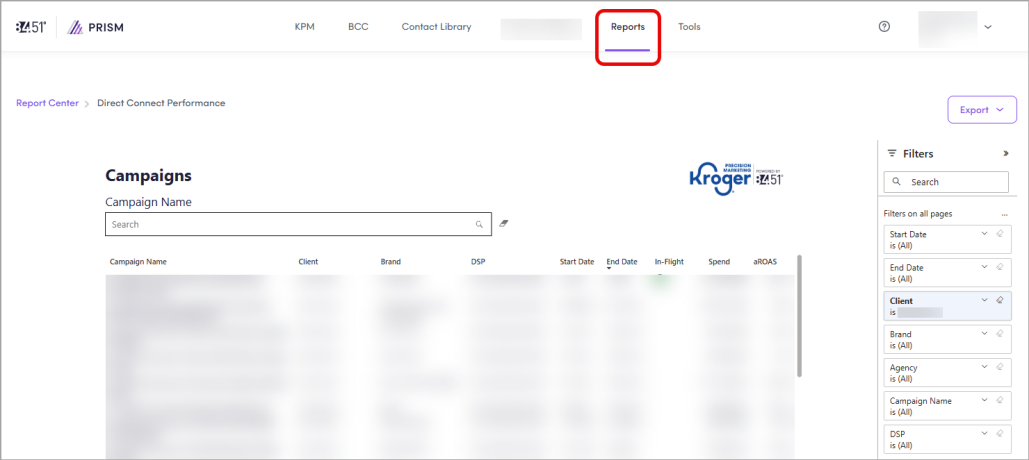
You'll see a list of all your Direct Connect Campaigns, but you can use the filters or search to find a specific one.
When you've found your Campaign, click Campaign Name to open the report in a new tab.
Reporting attribution windows
Managed Service Onsite Campaigns
The attribution window for Managed Services (for example, Targeted Digital Coupon, Single Subject Email, Email Module, and Push Notification) depends on whether or not, there’s an offer for the channel.
-
If there is an offer, the attribution window is the duration of the offer's live time.
-
If there is NO offer, the attribution window is 14 days.
In either scenario, 84.51° uses a "first-to-last" exposure attribution methodology.
Exposure for Managed Service Onsite refers to:
-
An email landing in an Inbox (for Single Subject Email and Email Modules)
-
Notifications sent to a phone (for Push Notifications)
-
Offers sent to a digital wallet (for Targeted Digital Coupons)
Onsite Campaigns
The attribution window for Onsite Campaigns (for example, Product Listing Ad, Promoted Product Carousel Promoted Product Carousel, and Targeted Onsite Ad) is 14 days. Reporting within the Kroger Ad Platform shows sales for the exposure on the day it occurs.
Shoppers have 14 days to purchase an attributable product after a click on a Carousel or PLA Product Listing Ad or a view on a TOA Targeted Onsite Ad. Within the attribution window, all brand UPCs Universal Product Codes that fall within the same Sub-Commodity as the clicked or viewed product are eligible for attribution.
As such, a shopper that clicks a Promoted Product Carousel or PLA or views a TOA, but purchases a product from a different Sub-Commodity (even if it is included in the Carousel, PLA, or TOA) will not be reflected in attribution.
-
If a shopper views a TOA and clicks on a Carousel or PLA (regardless of order), the click is always prioritized over the view.
-
If a shopper views two (2) TOAs from the same advertiser or clicks on two (2) Carousels or PLAs from the same advertiser, the last interaction is prioritized for attribution.
-
If a shopper clicks a TOA and clicks a Carousel or PLA (regardless of order), the last interaction is prioritized for attribution.
You can view the sale for the exposure on the day it occurs from the attribution window in reporting. So, if a shopper is exposed to a TOA days before purchasing an attributable product, reporting shows the ad cost on the date of exposure and the viewed sale on the date of purchase.
For example, if a shopper is exposed to a TOA on December 27th, but purchases an attributable product on December 29th, the Kroger Ad Platform shows the ad cost on December 27th and the viewed sale on December 29th.
You should run the end date in reporting as 14 days post-End Date (after the actual End Date) to capture all sales.
For example, a Campaign ending on January 31st should run reporting through February 14th.
All Kroger Ad Platform products follow Halo attribution, so the Kroger Ad Platform will attribute any sales to an ad that fall under the same Brand and Commodity selected in the Ad Group.
Offsite Campaigns
The attribution window for Offsite Campaigns (for example, Direct Connect, Display Ad, Native Ad, Online Video Ad, Pinterest, Programmatic Audio and Programmatic CTV) is rolling 14 days.
Shoppers have 14 days to purchase an attributable product after viewing an Offsite advertisement. Each view of the advertisement resets the 14-day rolling attribution window.
Unlike Onsite, there is NO attribution priority order.
Cross-Channel Campaign reporting
Your Cross-Channel Campaigns may qualify for PrecisionView 360 measurement and optimization, if your Campaign meets a minimum investment of $400K across three (3) or more channels. When you want to understand incremental uplift (incremental sales impact) from your Media mix, across channels, not just last-touch attribution, you should opt into PrecisionView 360.
Otherwise, PrecisionView Lite is available for your Cross-Channel Campaigns with two (2) or more channels.
You can opt into PrecisionView Lite or PrecisionView 360 measurement.
To get started, contact your Account Management team and they'll handle either measurement request on your behalf.
The key differences in PrecisionView 360 and PrecisionView Lite are:
|
PrecisionView 360 |
PrecisionView Lite |
|---|---|
|
Full-scale, advanced, deduplicated Cross-Channel incrementality measurement |
Lightweight, last-touch Cross-Channel attribution measurement |
|
Includes richer methodology (marketing mix / precision Test vs. Control modeling) |
Includes industry-standard last-touch attribution logic applied across channels |
|
Focuses on incremental metrics to provide incrementality and deeper model outputs |
Focuses on attribution metrics to provide aROAS Attributable Return on Ad Spend, Attributable Sales, Reach, Buyer type, and Campaign-level attribution |
|
Best used for strategic optimization and to help answer complex Cross-Channel questions |
Best used for operational reporting and to help answer basic Cross-Channel attribution questions |
PrecisionView 360
PrecisionView 360 (PV360) is the premier omni-channel incremental sales measurement solution that provides more insights and deduplicated, story-driven iROAS Incremental Return on Ad Spend read-outs across nearly all Onsite and Offsite KPM channels.
PrecisionView 360 is available in the following channels:
|
|
Onsite |
Incentives |
Offsite |
|---|---|---|---|
|
84.51° Prism |
|
Targeted Digital Coupon |
|
|
Kroger Ad Platform |
|
— |
— |
|
Direct Connect |
— |
— |
|
Interested? Reach out to your KPM Account Representative to discuss availability and pricing.
PrecisionView 360 uses advanced modeling to:
-
Quantify incremental sales and ROI Return on Investment across media and promotions.
-
Allocate credit across multiple channels.
-
Help optimize media mix and explain performance (for example, tradeoffs across channels or layering effects).
Once modeling and quality assurance are done, the PV360 report is delivered (~five (5) to nine (9) weeks post last exposure) as a PowerPoint presentation, that includes, but isn’t limited to:
-
Performance Summary with iROAS, Sales Uplift, Sales Uplift %, Total Impressions, Total Targeted Households, Conversion Rate (CVR Conversion Rate), New Households Households that have not bought the promoted product in the latest 52 weeks Converted, Total Sales, Total Units, Total Visits, and Percentage of eCommerce Sales.
-
Organic Sales, Media, and Sales Uplift over Time.
-
Campaign-Specific Results with Ad Group or Audience peformance (if applicable), Reach metrics (like Impressions, Clicks, Click-Through Rate (CTR Clickthrough Rate), Viewability, Downloads, Download Rate, Redemptions, and Redemption Rate).
-
Channel results (like iROAS, Sales Uplift, and Impressions by Channel).
-
Uplift contribution by Channel Interactions
-
Household type (like New Households) and Behaviors.
-
UPC Universal Product Code contribution.
PrecisionView Lite
PrecisionView Lite (PVLite) is a no-cost reporting solution that provides more insights and deduplicated, story-driven attributable aROAS read-outs.
PVLite is built on industry-standard last-touch attribution methodology If a Household purchases a measured UPC, PrecisionView 360 looks back over a 2‑week window to see the last channel/campaign that was exposed that Household. That last touch gets credit for attributable sales, units, visits, and household penetration. and is the replacement for legacy Cross-Channel measurement (XCM Cross-channel measurement) when a PV360 report isn’t ordered or available.
PrecisionView Lite is available in the following channels:
|
|
Onsite |
Incentives |
Offsite |
|---|---|---|---|
|
84.51° Prism |
|
Targeted Digital Coupon |
|
|
Kroger Ad Platform |
|
— |
— |
|
Direct Connect |
— |
— |
|
A PVLite report is delivered (~ two (2) weeks post last exposure) as a PowerPoint presentation, that includes, but isn't limited to:
-
Performance Summary with aROAS, Total Impressions, Total Reached Households, Exposed Household Conversion Rate, Exposed New Households Converted, Attributable Sales, Units, and Visits, and Percentage of Attributable Sales via eCommerce.
-
Channel-level performance for aROAS and Attributable Sales, eCommerce Contribution, Reach, Unique Reach, and New Households Conversion analysis.
-
Product / UPC performance with Attributable Sales, Units, and Percentage of Total Attributable Sales and Units contributed by each UPC.
-
Campaign-level media metrics like Cost, Impressions, Clicks, Click-Through Rate (CTR), Viewability, Downloads (where relevant), Redemptions (where relevant), and Percentage Contribution to Attributable Sales by Audience or Ad Group.
Audience and Ad Group-level data will NOT match data found in 84.51° Prism or the Kroger Ad Platform as a PrecisionView Lite report is based off of Cross-Channel last-touch attribution methodology.
Related videos
Want to learn more about how PrecisionView 360 and PrecisionView Lite work? Watch this recorded training and explore the training deck.
Related topics
Want to learn more about this topic? See these related topics:
Learn more
Explore other sections in the Learning Center to learn more about 84.51° Prism:
 Go to
Go to